Tag: ham radio

  • Sounds and Sights from Space

    I have some catching up to do, but I am going to start from where I am right now, and then post about what I have been doing since my last post in August. The short version is that I have gotten my radio(s) working, and have even gotten on the air with both POTA (Parks on the Air) and a DX (a direct contact that was a long distance away).

    What I did tonight that I think was fun and exciting was trying to get an image from SPACE. There’s a group called ARISS – Amateur Radio on the International Space Station – that is aimed at kids to get them interested in science and technology using the frame work of making ham radio contacts with astronauts. For World Space Week they are doing an event this weekend where a transmission of SSTV signals are being sent from the ISS using the 2 meter VHF band. SSTV is Slow Scan Television, which is a way to send still pictures over the air, mostly by amateur radio these days. So they are sending a couple of different images for radio operators to “hear” and use software to decode the sounds into images.

    To receive this I installed an app on my iPhone to track the position of the ISS so I know when it passes over me. I also have an app on my phone to decode the sounds into the images.

    Since VHF signals are line-of-sight – in other words, I need a clear view of where the Station is in the sky, with no buildings or land in the way, I was afraid that the arc the Station was going to take would not allow me to get the signal where my house is. So I took my handheld VHF radios (I have a Baofeng UV-5R and a TIDRadio H3) to a place I know of that has a big parking lot, and is closed and has a huge field next to it with a lot of open sky. I go there sometimes to watch storms or see colorful sunsets.
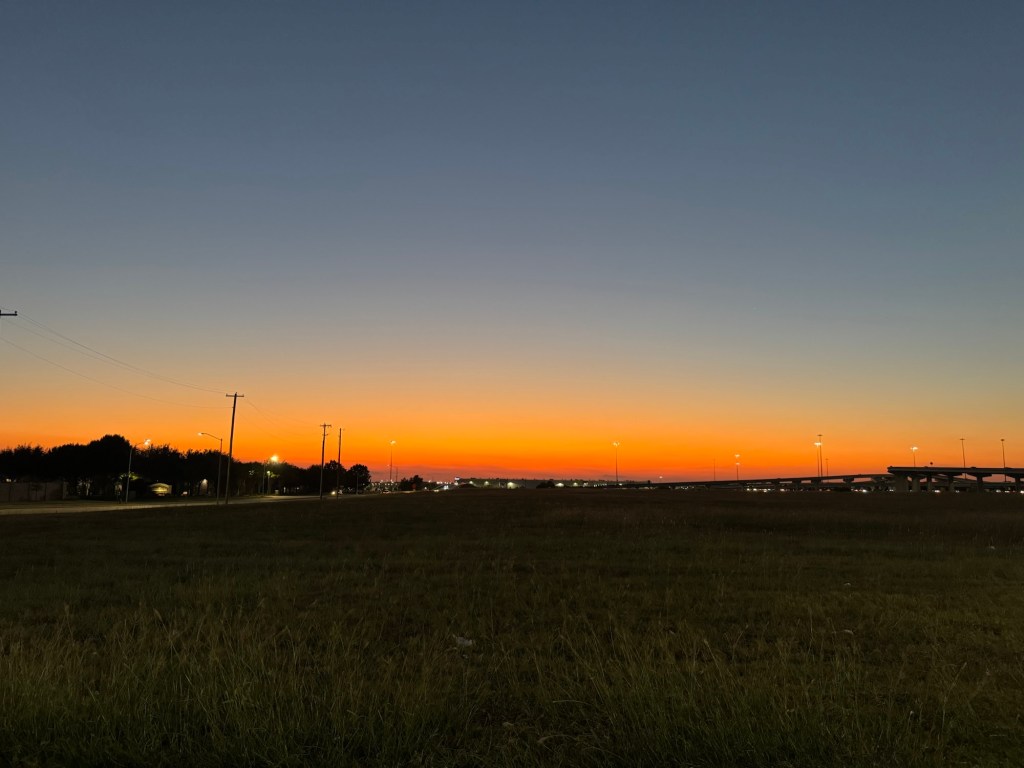
    A brilliant sunset with lots of orange shines over a big grassy field across from a suburban neighborhood, with a highway in the distance.
    Part of the field next to where I parked. Texas sky, showing off as usual.

    I was way early, arrived and parked, and ate some junk food while watching the sunset. When I was finished, I listened to a podcast and made sure my radios were ready to go. I had a problem recently with the TIDRadio where it wasn’t able to transmit, and I had reset it to factory defaults (I think it got messed up when I tried programming it with some repeaters). It seems to be working but I don’t completely trust it, so I planned on using my Baofeng.

    Then I fumbled the Baofeng, and did not realize that the A/B button got pushed. Both my radios can be set to have two frequencies to monitor, and you can push a button to quickly swap between them. When I dropped it, it swapped to a different frequency, not the one I needed it to listen to. So when it was time to turn it on and listen for the transmission, I was hearing nothing. So I grabbed the TIDRadio and turned it on, and could hear the modem-like sounds of the transmission! I had my SSTV decoder app running and it got part of the image:
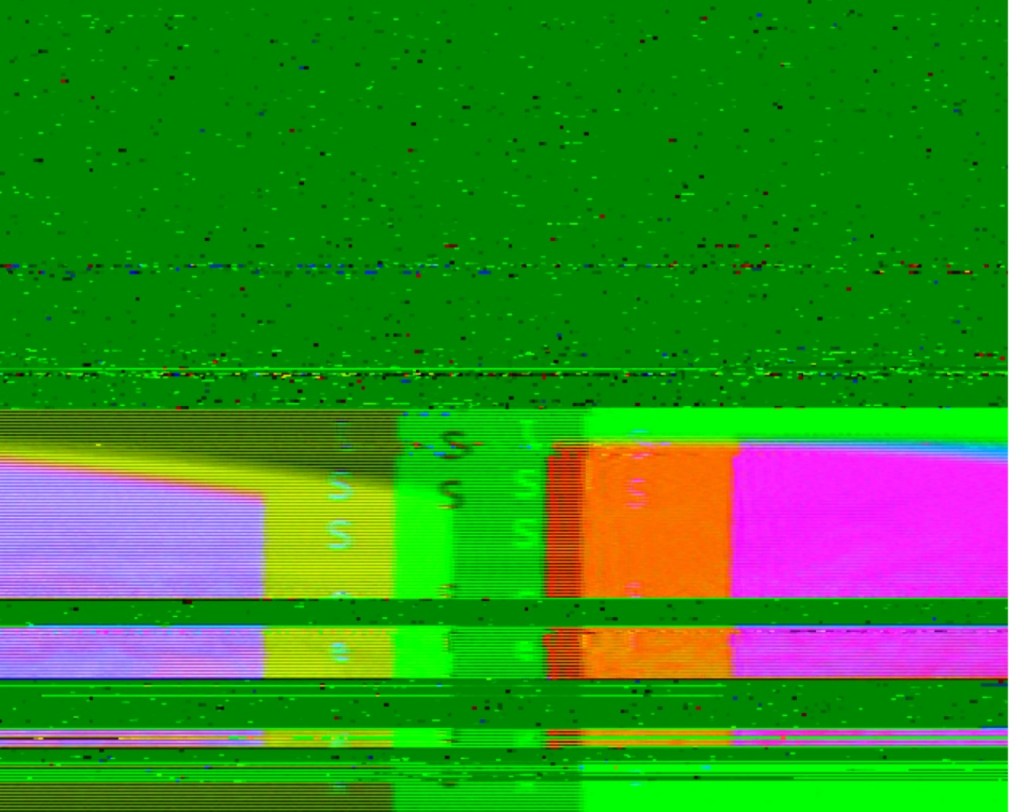
    A garbled image, mostly bright green with some magenta, red, yellow, and purple blobs at the bottom, and partial text visible with the letters ISS visible.
    Not quite right…

    As you can see, I didn’t get enough to properly decode the image, but there a more passes tomorrow where I can try again.

    Even though it technically is a failure, but I was still getting kind of excited and giddy, because I was hearing something that CAME FROM SPACE! That’s really cool!

    So tomorrow, I will be trying again, and I think the angle is good enough that it should work from home. I might as well set up my 10M radio as well and hunt POTA activators while I am at it! I will make another post soon about my HF fun, as well as update the space picture adventure results.

    For my next attempt at the IIS images, here is what I learned:

    1. I have my apps ready to go a few minutes before the pass
    2. I should double check the frequency the radio is set to!
    3. Don’t drop the radio! 😀

    Better luck to me tomorrow!
  • Powering through nervousness…

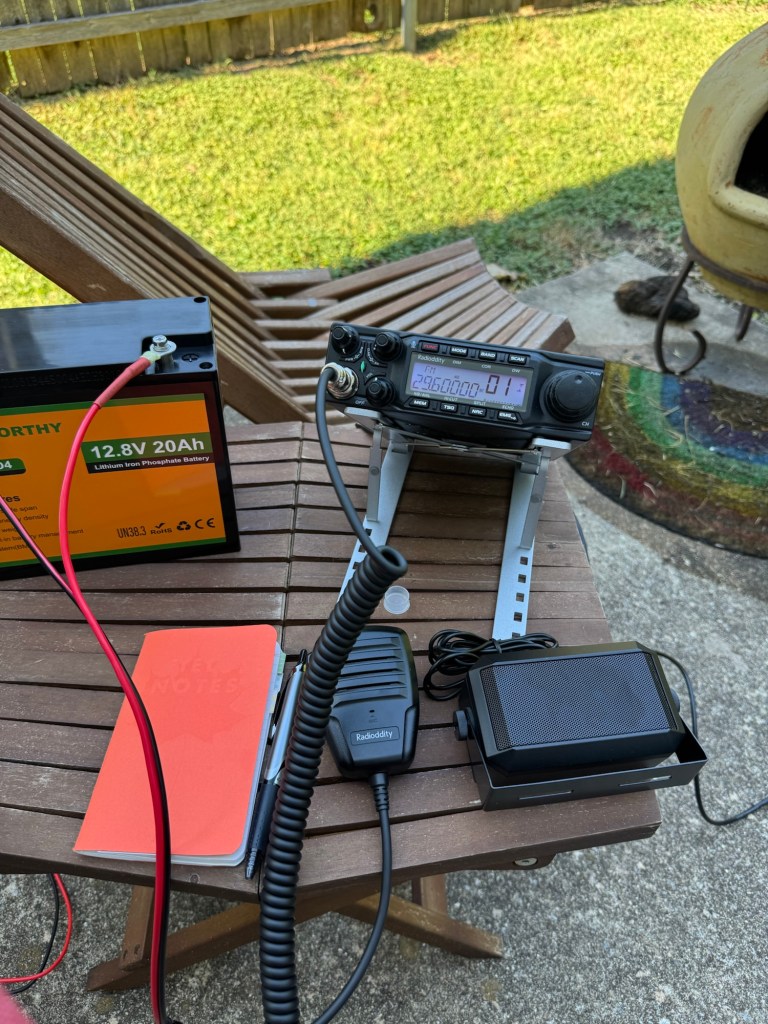
    Today I was determined to finally get all the parts I needed to make the power cable I need to get power from my 12V-20Ah battery to my QT80 radio. I got myself out of bed bright and early (ok, it was more like 9am) and headed out to Harbor Freight for the first time ever. They did not have the ring terminal connectors I needed, but I did end up dropping – you guessed it – fifty dollars on a new set of flush cutters to cut wire since the wire cutters I found in the toolbox in the garage were an abomination that more chewed through wire than cut cleanly, as well as a wire stripper that also works as a crimper, and a few other items as well. I also picked up a small tool bag in which to keep my radio-related tools.

    Then I went to Ace Hardware on the suggestion of the clerk who helped me at HF, but the guy that “helped” me was less than helpful and acted like I was looking for something unreasonable.

    A thunderstorm was rolling in, so I grabbed lunch and headed home to eat. I thought I was going to have to order what I needed online, and wait yet another week, but it occurred to me while having lunch that maybe an auto parts store would have the connectors, so I hopped back in the car after the storm was over and was successful in my quest!

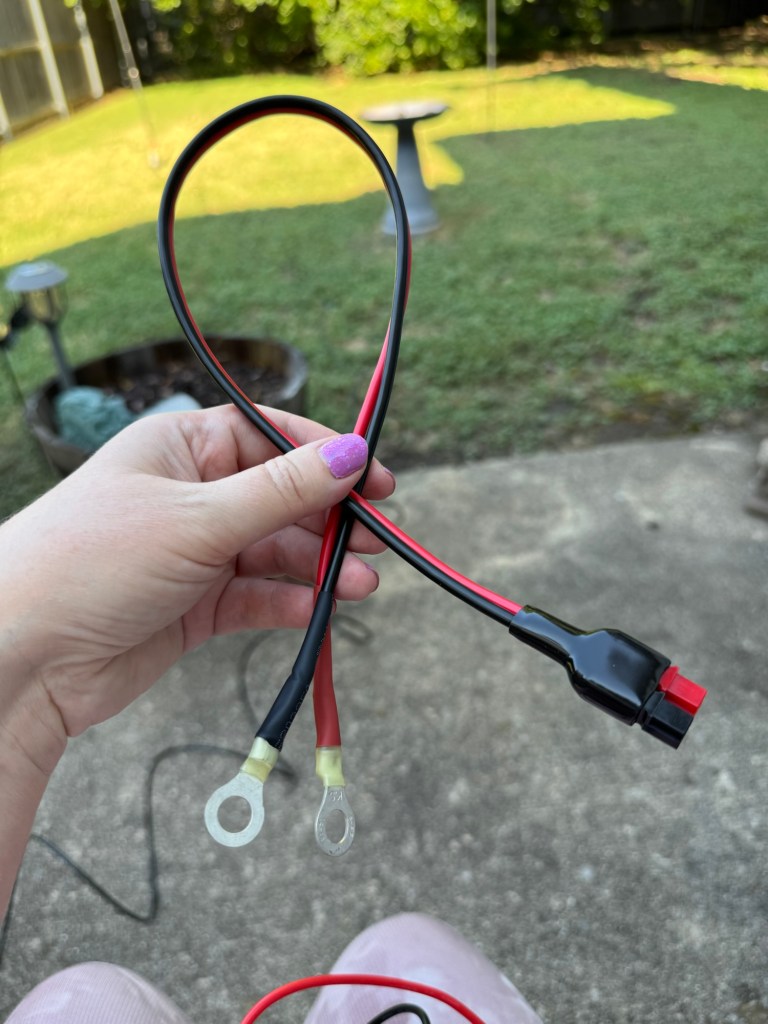
    I got home and was able to create the cable I needed to connect the battery to the radio:

    A photograph of a cord in my hand. One end of the cable has two ring terminals and the other has a set of Anderson Powerpole connectors.
    Handmade power cable

    After I made the cable, I used my multimeter to make sure the cable had conductivity through it on both sides.

    I also re-did the Powerpole connectors I added to the end of the radio’s power cable because after making the battery cable, I knew I had not secured those sufficiently. After doing all that, I was finally ready to plug in my radio!

    And it WORKED!

    I had power to the radio, it turned on!

    I was very nervous that I had done something wrong somehow, and the battery was going to catch on fire, but it did not, and it didn’t seem to be heating up or anything.

    I fiddled with the radio a bit but soon realized that I need to sit down and flip through the manual and maybe re-watch the QT80 videos to get a feel for how to operate the radio. I could move through the band a bit, but not with confidence, and I only caught a voice twice, without a good signal.

    I need to watch some videos on how to use the NanoVNA to set up my antenna at the right lengths for the bands I can receive on this radio, and on my (tr)uSDX, which also needs to have a way to power it that’s a little more beefy than USB phone bank power.

    I have a battery case and some 18650 batteries on their way to make a nice portable setup for that radio… and you will never guess how much that cost! Yes, that was sarcasm. It was right around $50, of course.

    Getting the power cable made was a nice little confidence booster, proving to myself that I did comprehend what I had researched, and that I am not going to set myself on fire or electrocute myself, or damage my equipment. At least, not so far!

    My goal this week: figure out how to make the radio “hear” more than faint sound! Fingers crossed!

  • Always About $50 Away From Getting On the Air…

    I was hoping to set up my new radio… no, not the (tr)uSDX, I got a Radioddity QT80 so I can do voice on 10 meters… anyway, I thought “This weekend I will be able to spend the day getting on the air on my own!”

    But it seems like there is always one more detail that I need to take care of before I can actually do it.

    You see, the (tr)uSDX is tiny and cool, but it transmits on 80, 60,40, 30, and 20 meters. None of which I am allowed to transmit on using voice (called “phone” in ham-speak) as a Technician. I can transmit on 80 and 40 using CW (Morse code) but I don’t have the skill in CW to do that yet. Also, I am having an issue getting it flashed to the latest firmware that I have to figure out.

    So I ordered the QT80, which does 10M by default, of which I am allowed to use voice on a small sliver. It also can be unlocked to allow the use of 15 and 12 meters for ham radio (which I cannot talk on as a tech and can only use CW on part of 15), as well as the 11M CB band. It arrived in the mail Friday. Hurrah! Except…

    Ham radios don’t really come with a power cord you can plug into the wall. You see, we are expected to decide how we want to power our radios and add the connectors ourselves. It comes with cords that just have bare wires sticking out of the ends.

    I knew this, but I didn’t really know this until I unboxed my new toy and realized, “oh yeah. I should have ordered the bits to stick on…”

    But you still don’t really just solder on a wall plug. The QT80 is a portable radio, meant to either be installed in a car or taken around with you. Which IS what I want to do with it. So it needs ends that connect to a DC power source like a battery.

    Great, I have portable power stations! That will work, right?! Not exactly.

    Most hams I have watched on YouTube encourage the use of connectors called a powerpole (originally Anderson Powerpole) that allow DC connections. My portable power stations don’t have powerpole connectors. I would need to either buy or make a cord that has powerpole connectors on one end and a 12V cigarette lighter-style plug on the other, which my power stations will accept. I don’t want to stick a 12V connector directly on the power cord from the radio, because that will limit my options to only be able to use that kind of socket.

    So I need powerpoles and a way to put them on the wires… I ordered a set with a crimper and the connectors. That was about $35.

    That still leaves how to get from those connectors to something that sends power to it. I most likely will have to solder to make a cord. Or I could buy one for around $15-20.

    But I have heard mention about power stations being “noisy” – creating electrical interference, which is not good for radios. And my stations are pretty bulky. There are smaller Lithium-Iron-Phosphate batteries that will work well for portable radio. Great! I ordered one. $50!

    Then it arrived, and I realized – oh, I don’t have a way to charge that battery! I need something to put energy in that battery so it can put energy in my radio. So I ordered a charger for it for another $50.

    I am always $50 away from being able to get on the air.

    Later I will figure out how to get energy from my solar panels into the battery, but right now, I just want to get on the air!

  • My first Ham Radio Contacts!

    In April I took a class for learning about Amateur Radio (aka Ham radio), and in June I took my Technician test & got my license. Just call me KJ5LWM. That is my callsign- that’s kind of analogous to a username or handle on an online platform.

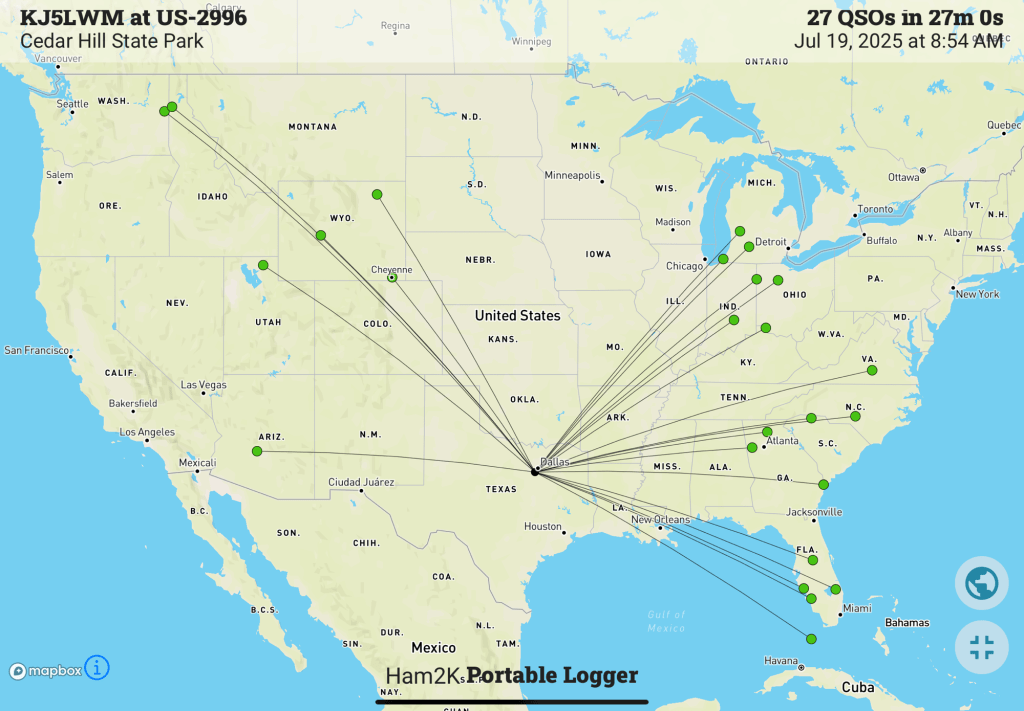
    Saturday, the 19th of July, I went to my local state park and a local club helped me to get on the air since I do not have all the equipment I need to do it on my own yet. I made 27 contacts. That’s the term for talking with another amateur radio operator and trading information. There’s a site called Parks on the Air that allows you to track making connections to people in parks and the people trying to find them on the air. I was one of the people in the park today.

    Here’s a map showing where the people I talked to were contacting me from:

    The dot in Texas was me, of course, and the lines going to dots all around the country were the people I talked with.

    I am having fun learning about amateur radio and how to make things work, and am impatiently waiting on an antenna I ordered to arrive so I can make sure things work (and HOW things should work!) before I start building my own radios and antennas.

    Expect some entries here on things I am trying out and experimenting with, more to come soon!